Pregnancy Tracker & Calculator
- 4.4
- Rating
- 500.00K
- Installs
- Free
- Price

 Analysis by App-foxy
Pregnancy Tracker & Calculator is the kind of parenting app I would open when I want a simple way to follow a pregnancy week by week without turning the process into a spreadsheet. Its purpose is easy to understand: enter the relevant pregnancy details, use the calculator to estimate progress, and return to the tracker when I want a quick sense of where things stand. I found the idea useful, but the app works best when I treat it as an organizing aid rather than a medical authority.
That distinction matters from the first screen. A pregnancy calculator can make dates and weeks easier to follow, yet it cannot replace an appointment, an ultrasound, or advice from a qualified clinician. The app is made by Wallet Passes Alliance and sits in the parenting category. It is free to install, rated for Everyone, and has reached over 500 thousand installs with an average rating of 4.1 from around 1.7 thousand ratings. Those figures suggest that it has found a practical audience, although they do not tell me whether it will suit every pregnancy or every phone.
Getting past the first points of friction
The place I expect most people to get stuck is not the weekly tracking itself but the initial information entry. Pregnancy tools depend on a starting date, and users may be working from a last menstrual period, a conception estimate, or a date supplied by a healthcare professional. If the wrong reference is chosen, the entire week-by-week view can feel inaccurate even when the app is calculating exactly what it was told.
You May Also Like

 Blood Strike: 2.5 Anniversary
Blood Strike’s Loadouts Turn Every Drop Into a Tactical Gamble
A close look at Blood Strike’s custom loadouts: how fast access to signature weapons reshapes its battle royale rhythm, rewards preparation, and narrows the gap between fights.

 Pandora - Music & Podcasts
Pandora’s Music Is Easy to Start, but Harder to Recover
Pandora’s strength is its low-effort path from a seed to a station. Its weak spot is how much confidence it asks you to place in connection, setup, and quiet recovery.

 8 Ball Pool
 Is Built on Rivalries, Rematches, and Routine
A close look at the rivalries, rematches, shared routines, and unanswered safety questions that turn a quick pool match into a persistent mobile community.

 Samsung Music
’s Quiet Strength Is Playing What You Already Own
Its reach comes less from spectacle than from dependable access to a personal library. That simplicity is both the app’s strongest retention engine and its ceiling.

 AccuWeather: Weather Radar
AccuWeather Review: A Quick, Clear Forecast for Everyday Decisions
For everyday plans, the best forecast is the one you can understand quickly. AccuWeather makes rain timing, radar, and local conditions easy to act on, with a few trade-offs.

 Hill Climb Racing
Why Hill Climb Racing Still Turns Crashes Into One More Run
A tiny car, a bumpy hill and one more upgrade: Hill Climb Racing keeps resurfacing because its simple chaos makes every near-miss feel personal.
More From Our News Desk



My advice is to pause before confirming the first date. Check the calendar year, month, and day, then consider whether the date you have is actually the one the app expects. A common mistake is entering an appointment date or a positive-test date as though it were the beginning of pregnancy. That can shift the result substantially. If the displayed week seems surprising, I would first revisit the original entry rather than assuming the tracker is broken.
The wording used during setup also deserves attention. A calculator may present an estimate, not a promise, and pregnancy timing is not always perfectly predictable. I would keep the result as a convenient reference for conversations and planning, while leaving clinical interpretation to a midwife or doctor. The most important setup habit is checking the starting date before trusting the weekly result.
Another small source of confusion is expecting the app to know personal circumstances automatically. A tracker cannot infer every detail that affects a pregnancy timeline. If the date is uncertain, cycles are irregular, or a clinician has provided a different estimate, the app should be treated as a general guide. In those cases, the medically supplied estimate should take priority over a calculation made from a rough assumption.
What I would check before blaming the app
When a tracker appears stuck, shows an unexpected week, or does not seem to reflect a change, I would work through a short practical check. First, I would confirm that the information was saved in the correct field. Second, I would close and reopen the app to see whether the screen refreshes. Third, I would check whether the phone is running a supported system. The current release is version 5.1.0 and requires Android 8.0 or later, so an older Android device may be the real limitation rather than the calculator.
I would also look at the phone's available storage and general responsiveness. A device that is nearly full or struggling with several apps can make any lightweight utility feel unreliable. Restarting the phone is a basic step, but it is worthwhile when a screen refuses to update. If the problem appears after an update, opening the app again after the installation has fully finished can also help.
Because the app is free but includes optional in-app purchases ranging from $0.99 to $99.99 per item, I would pay attention to what is presented during use. A person who only wants the basic tracking experience may not need to buy anything. Before confirming a purchase, I would read the wording carefully and make sure the selected item matches what I actually want. This is particularly important if a child or another family member uses the phone.
The Everyone age rating makes the app broadly accessible, but that does not mean every screen will answer every pregnancy question. A general audience rating describes suitability, not medical depth. I would not use the rating as a reason to assume that the app offers professional guidance.
A reliable everyday workflow
My preferred routine would be deliberately simple. I would enter the starting information once, check that the resulting week looks reasonable, and then use the tracker as a reference rather than repeatedly changing the date. Constantly editing the starting point can create more confusion, especially if I am trying to make the display match a particular appointment or symptom.
For someone who is busy, the best use may be a quick check before writing questions for an appointment. For example, a user might open the app on the way to a prenatal visit, confirm the current week, and note down anything they want to ask. The app can help organize that conversation, but it should not be used to decide whether pain, bleeding, reduced movement, or another symptom is urgent. Those situations call for direct medical advice.
A useful recovery habit is to keep a private note of the date entered and the estimate provided by a clinician. If the app is reinstalled or the phone changes, that note gives the user a reference point instead of forcing them to guess what was entered previously. I consider this one of the more practical ways to reduce frustration with any date-based tracker: the app is convenient, but an important timeline should not exist in only one place.
If a result changes unexpectedly, I would avoid making several edits at once. Change one input, return to the main tracking view, and check the result. This makes it easier to identify whether the issue came from a date, a selection, or a display refresh. It is slower than tapping through every option, but much clearer.
Where the app helps, and where another option may be better
The strongest part of Pregnancy Tracker & Calculator is its straightforward purpose. I can see why a first-time parent would prefer a focused week-by-week reference over a large health platform filled with unrelated tools. It may also suit someone who wants a basic pregnancy calculator without committing to a more elaborate planning system.
Compared with a paper calendar, the app is more convenient for recalculating an estimate and checking progress while away from home. Compared with a general notes app, it gives the pregnancy timeline a dedicated place instead of requiring manual counting. Those are modest advantages, but they are meaningful when the goal is simply to keep dates understandable.
On the other hand, I would look elsewhere if I wanted a detailed medical education library, extensive appointment management, or a shared family system. The store summary positions this product around calculation and week-by-week tracking, so I would not choose it expecting the depth of a full prenatal care platform. A clinic's patient portal is also a better place for test results, appointment instructions, and messages to a care team.
It is also not the right tool for anyone seeking a diagnosis. A pregnancy tracker can help answer “which week am I roughly in?” but not “what does this symptom mean?” That boundary is easy to overlook because the app sits on a phone beside other health tools. I would keep the calculator in the planning category, not the treatment category.
When the phone or the situation is the real problem
Some apparent app failures are really caused by the circumstances around them. If the phone date or calendar settings are unusual, a date-based calculation may be harder to interpret. If several people share one device, the displayed pregnancy information may belong to someone else. In that situation, I would verify whose details are currently being used before changing anything.
Privacy is another practical consideration even without making assumptions about the app's specific handling of information. Pregnancy details are personal, so I would use a phone lock, avoid leaving the tracker open in public, and be cautious when handing the phone to someone else. If a partner wants to help, I would agree on who is responsible for entering changes so that two people do not accidentally overwrite the same timeline.
Connectivity can also create confusion when a user expects every part of an app to behave the same way offline or online. If a screen does not load as expected, I would try again with a stable connection, then restart the app. I would not repeatedly tap purchase controls while waiting, because delayed screens can make it unclear whether an action has already registered.
For technical problems that survive these checks, the sensible next step is to use the app's available support route or the relevant app-store support channel, describing the phone's Android version, the current app version, and the exact action that caused the problem. The current version is 5.1.0, so including that detail can help distinguish an installation issue from a calculation misunderstanding. I would avoid sending unnecessary personal pregnancy information in a support message.
Small habits that make the tracker more useful
I would use the app at a consistent point in my routine, perhaps once a week, instead of checking it repeatedly throughout the day. A weekly tracker is most useful when it reduces uncertainty, not when it encourages constant monitoring of a changing estimate. A regular check also makes it easier to notice whether the displayed week advances as expected.
I would take a screenshot or write down the result only when it serves a clear purpose, such as preparing for a conversation with a partner or making a list of questions for a clinician. I would not treat a saved screen as a permanent medical record. If the healthcare team changes the estimated due date, I would update my personal notes and use the clinical guidance as the reference point.
For people comparing several pregnancy apps, I would test each one with the same starting date and compare how clearly it explains the result. The most attractive interface is not automatically the most useful. In this case, clarity and ease of correcting an input matter more to me than decorative extras. I would also check the purchase screen before settling into a routine, especially if I only want free features.
One less obvious trade-off is that a focused tracker can be easier to understand precisely because it does less. That simplicity is helpful for a user who wants a quick calculation, but it may feel limited to someone who expects a complete pregnancy companion. Choosing it means accepting that the app's value is concentrated in its timeline rather than assuming it will replace every other pregnancy resource.
My practical verdict
After looking at how I would actually use it, I see Pregnancy Tracker & Calculator as a reasonable free starting point for basic pregnancy timing and week-by-week orientation. I like that its main purpose is easy to grasp, and the 4.1 average from around 1.7 thousand ratings indicates a generally positive reception without suggesting that every user experience is flawless. Wallet Passes Alliance has produced something approachable enough for everyday reference, particularly for people who do not want a complicated health dashboard.
I would recommend it to a user who needs a simple pregnancy calculator, is comfortable checking dates carefully, and understands the difference between an estimate and medical advice. It can be useful before appointments, during casual planning, or when a partner wants a shared sense of pregnancy progress. The free entry point makes it easy to try, while the optional purchases mean I would review each paid prompt rather than assuming every extra is necessary.
I would skip it in favor of a clinic portal or a more comprehensive prenatal app if my priority were medical records, direct communication with professionals, extensive educational material, or detailed family planning. I would also avoid relying on it when the pregnancy timeline is uncertain or a clinician has supplied a different estimate. In those cases, the app can remain a secondary reference, but it should not be the deciding source.
My final advice is to enter the date slowly, verify the week immediately, keep a separate note of important clinical information, and troubleshoot the phone before reinstalling or repeatedly editing the timeline. Used with those limits in mind, this parenting app does what I would want from a basic tracker: it turns a potentially confusing calendar calculation into something I can check quickly, while leaving the important medical decisions where they belong.
FAQs for Pregnancy Tracker & Calculator
01What features does the Pregnancy Tracker & Calculator offer?
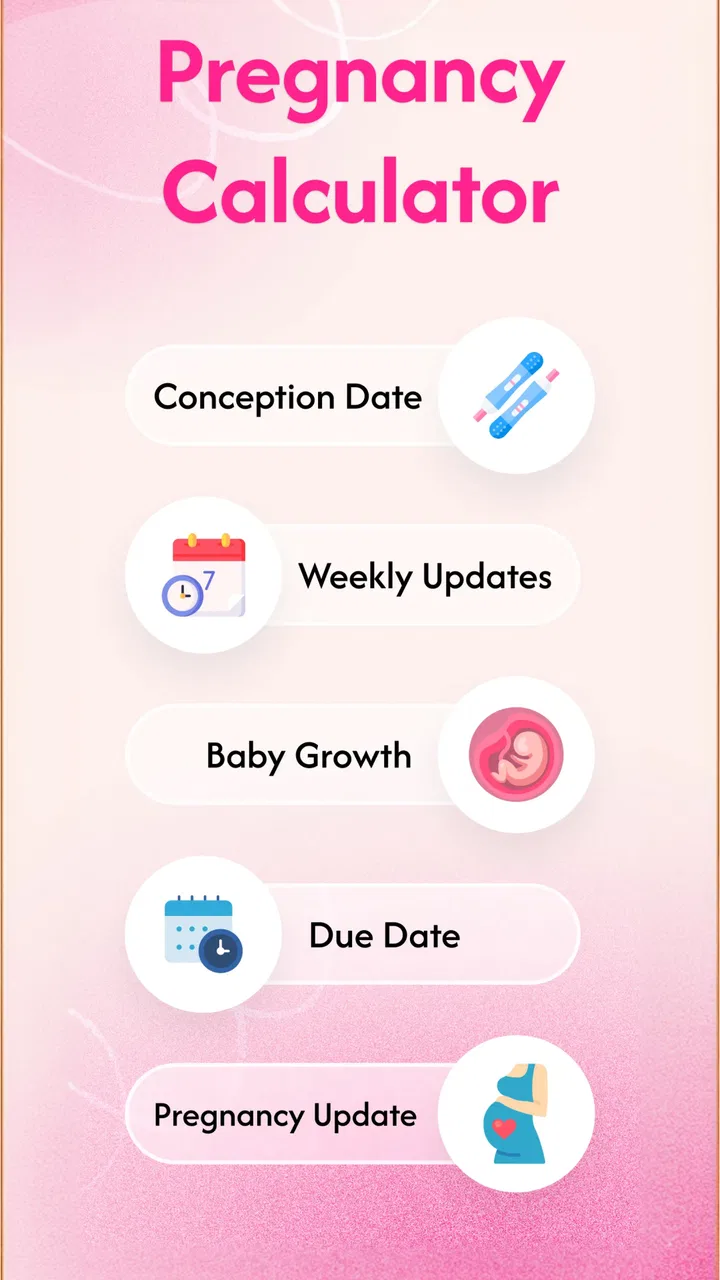
The Pregnancy Tracker & Calculator app provides a comprehensive suite of features, including a week-by-week pregnancy guide, personalized health tips, kick counter, contraction timer, and a due date calculator. It also offers nutritional advice and a diary for tracking mood changes and symptoms. This makes it a versatile tool for expecting parents.
02Is the Pregnancy Tracker & Calculator app user-friendly for first-time parents?
Yes, the app is designed with first-time parents in mind, featuring an intuitive interface that’s easy to navigate. It provides clear instructions and helpful visuals, making it simple to track your pregnancy milestones and access important health information without feeling overwhelmed.
03Does the app provide medical advice or replace visits to a healthcare provider?
While the Pregnancy Tracker & Calculator app offers valuable health tips and information, it does not replace professional medical advice. It is important to continue regular visits to your healthcare provider for personalized care and guidance tailored to your pregnancy needs.
04Can the Pregnancy Tracker & Calculator app be customized for multiple pregnancies?
Yes, the app can be customized to accommodate multiple pregnancies, such as twins or triplets. It allows users to input specific information about their pregnancy type, ensuring that the advice and tips provided are relevant and tailored to their unique situation.
05Is the Pregnancy Tracker & Calculator app available on both Android and iOS platforms?
Yes, the Pregnancy Tracker & Calculator app is available for download on both Android and iOS platforms. It can be found in the Google Play Store and the Apple App Store, ensuring accessibility for a wide range of users across different devices.
Pros
- Intuitive and user-friendly interface.
- Comprehensive week-by-week updates.
- Includes a kick counter and contraction timer.
- Personalized health tips and reminders.
- Seamless integration with calendar apps.
Cons
- Limited customization for notifications.
- Some features require a premium subscription.
- Ads can be intrusive at times.
- No offline mode for certain features.
- Limited community interaction options.

Pregnancy Tracker & Calculator
Gallery